
State 04 · Migrate
Move the workload. Improve it in the same workflow.
Build the clone, transfer data directly from source to target and apply selected modernization, optimization and remediation actions. Maintain synchronization until the cutover window.
Modernization & security
Apply CIS security hardening to the clone.
CIS security hardening is available as part of the RiverMeadow migration workflow.
Selection and setup begin in Plan. During Migrate, RiverMeadow applies the selected hardening configuration to the clone. Validate the resulting workload before cutover.
Inside the platform
Move and improve the workload in one workflow.
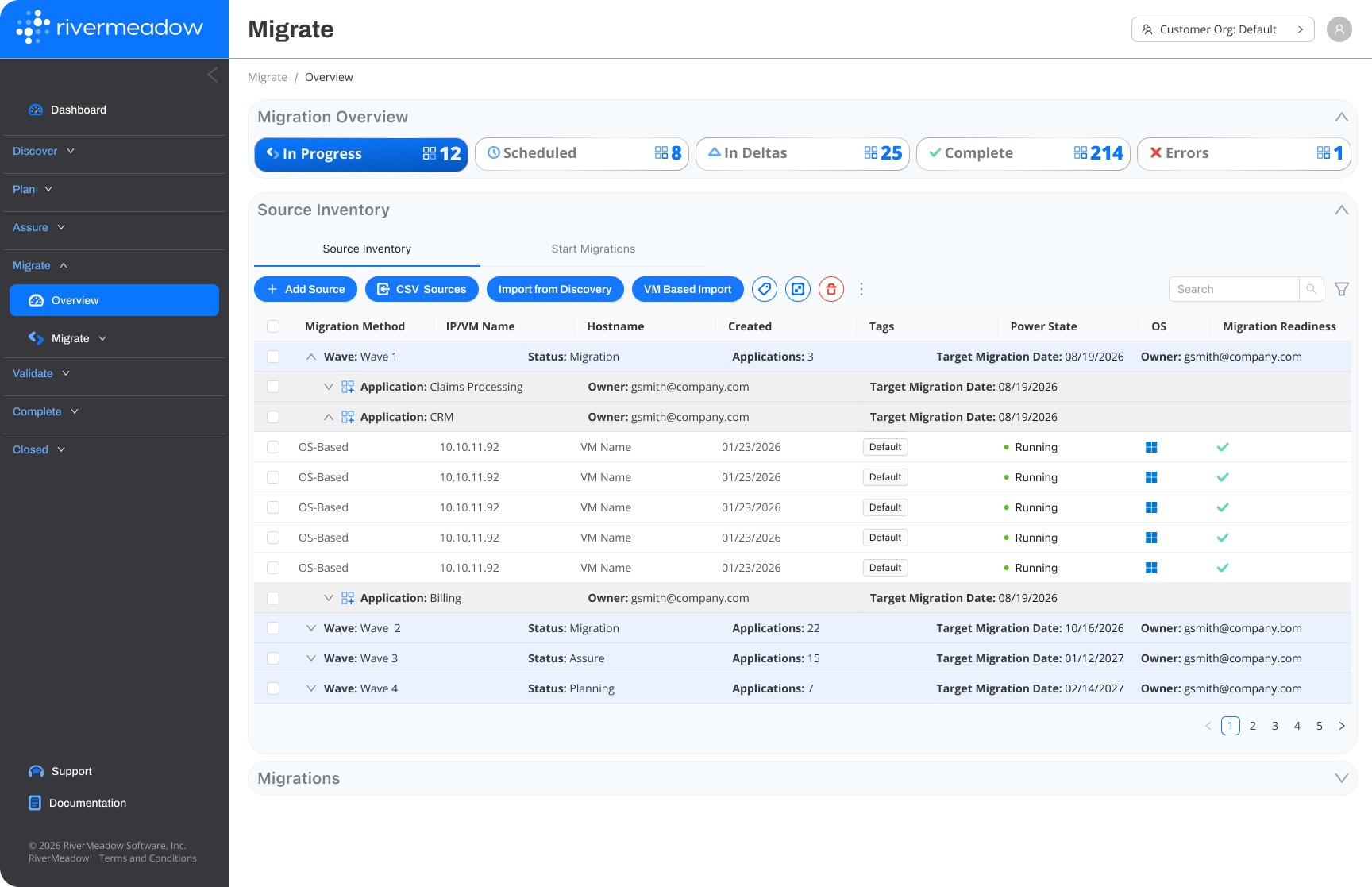
What it delivers
One execution workflow for movement and modernization.
Execute source to target
Move workloads across supported public cloud, private cloud and virtualization environments, using agentless migration for supported use cases.
Improve the clone
Apply the modernization, CIS security hardening, optimization and remediation actions selected in Plan to the clone.
Control synchronization
Use continuous, scheduled or on-demand replication to manage change and reduce final cutover transfer.
Connected to the operating model
Part of one operating platform
The source remains intact while work is performed on the clone. Target validation, application-owner UAT and approvals determine cutover readiness; copying the workload does not complete the lifecycle.