Group workloads into waves
Use application and dependency context to organize workloads for coordinated execution.
 Request a Demo
State 02 · Plan
Connect applications, dependencies, owners and delivery waves in one governed workflow.
Inside the platform
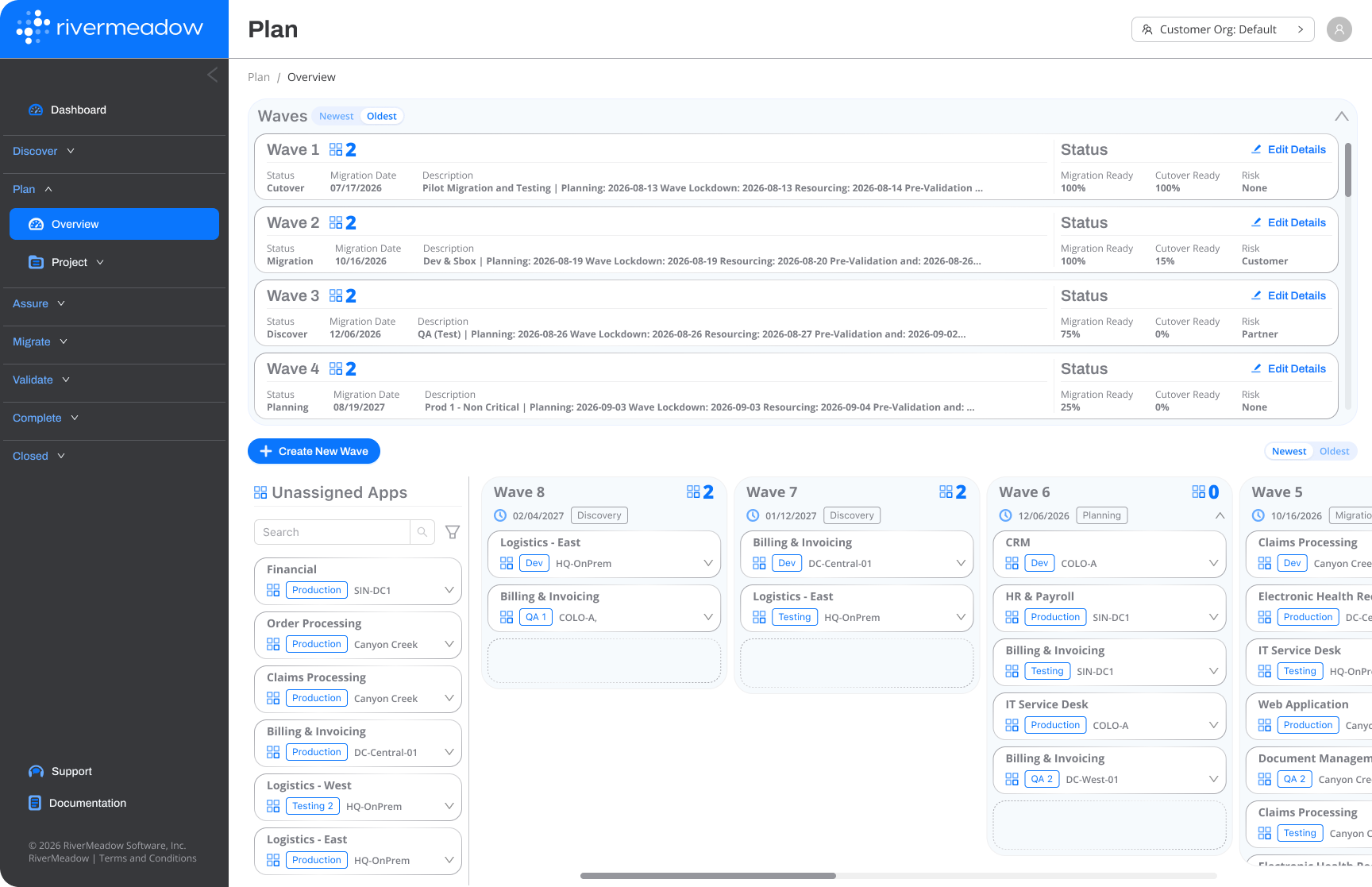
Use application and dependency context to organize workloads for coordinated execution.
Connect technical work, application-owner responsibilities and delivery tasks to the workload record.
Align waves and cutover windows with business priorities and delivery teams.
Modernization in the plan
Plan the target destination, modernization, CIS security hardening, right-sizing and remediation actions before execution. Select and configure hardening here for application to the clone during Migrate.
Modernization in the plan
Select CIS security hardening and define the target security configuration as part of Plan.
The selected hardening configuration is applied to the clone during Migrate, with workload validation before cutover.
Across the lifecycle
Waves, owners, tasks, approvals and exceptions remain connected through the Management Platform / Control Plane.
Explore the control plane →Reporting connects the planned estate with readiness, blockers, execution progress and outcomes.
Explore reporting →Connect with our regional teams or technical support.